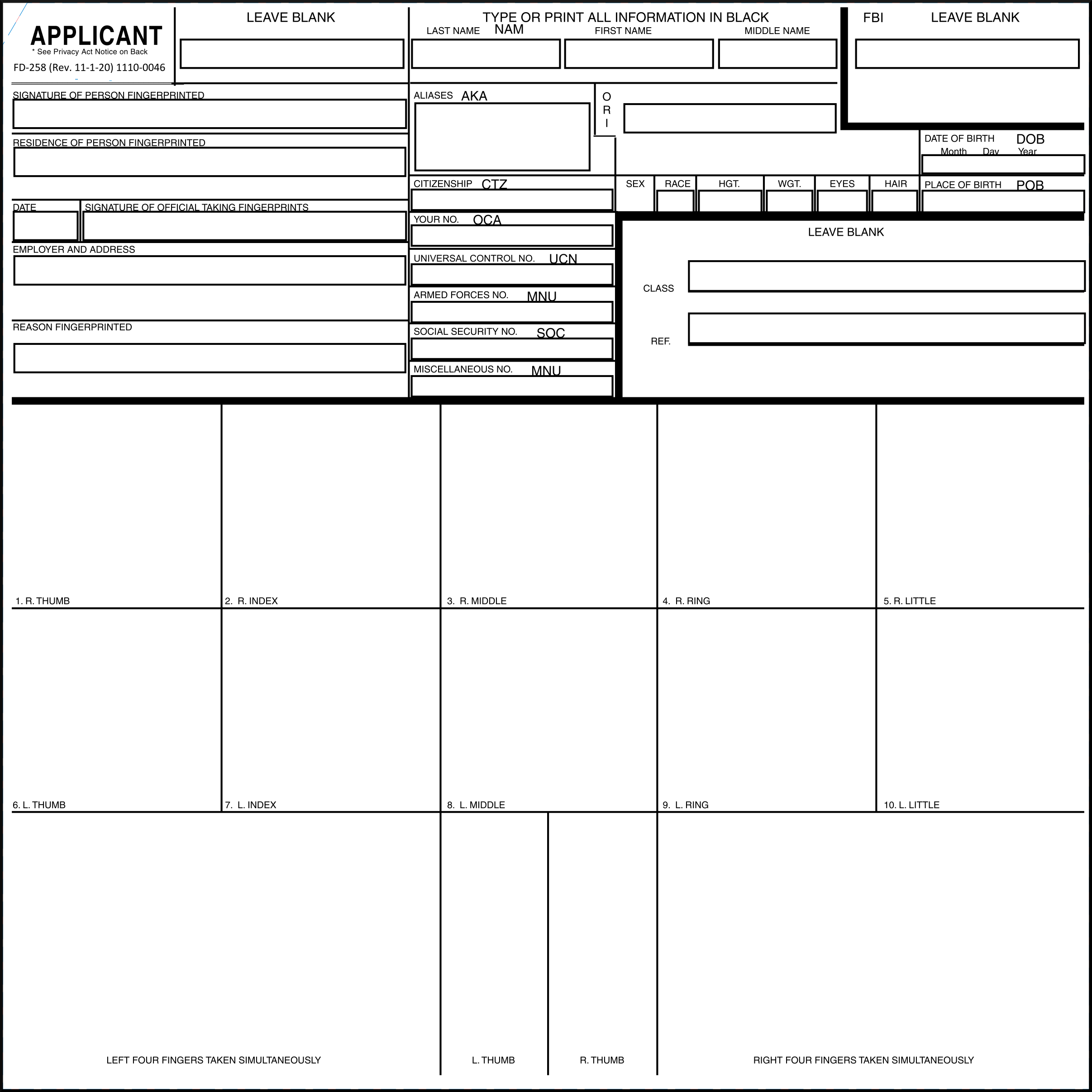
Blank FD-258 Card Template
Download a high-resolution blank FD-258 fingerprint card. Print at home and create your own fingerprint cards for ATF submissions.
FD-258 Blank Template
High-resolution template ready for printing. Includes all required fields and boxes for rolled and slap prints.
Download Template (PNG)Printing Instructions
-
1
Use the Right Paper
Print on heavy cardstock (110 lb / 199 gsm or heavier). Standard paper is too thin and will wrinkle when ink is applied. White cardstock works best for scanning.
-
2
Print at 100% Scale
Set your printer to "Actual Size" or "100%" - do NOT use "Fit to Page" or any scaling. The FD-258 must be the correct dimensions (8" x 8") for ATF acceptance.
-
3
Apply Fingerprints with Ink
Use FBI-approved fingerprint ink (available on Amazon). Roll each finger from nail to nail for the rolled print boxes. Press flat for the slap boxes at the bottom.
-
4
Scan at High Resolution
Scan your completed card at 500 PPI (or higher) for best results. Save as PNG or TIFF to preserve quality. Then upload to slapEFT for conversion.
Pro Tip: Practice First
Print an extra copy on regular paper to practice your fingerprinting technique before using your cardstock.
Clean Hands
Wash and dry your hands thoroughly before inking. Oil, lotion, and dirt will degrade print quality.
Don't Over-Ink
A thin, even layer of ink produces the best prints. Too much ink causes smearing and fills in ridge detail.
Even Pressure
Apply consistent pressure when rolling. Too light = faint prints. Too hard = smudged prints.